The Data Feed allows your dealership to sync appointments, repair orders (ROs), and communications from MyKaarma to Logitrac.
1. Log in to MyKaarma
-
Visit the MyKaarma login page.
-
Enter your credentials and click Log In.
2. Click on the MK Store link
-
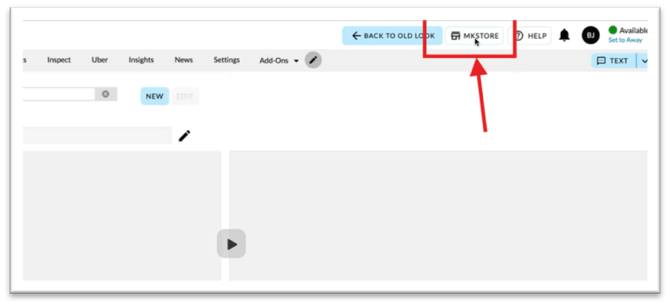
Once logged in, locate the MK Store link in the navigation menu (usually on the right-hand side).
3. Locate and select Logitrac Loaner Integration
-
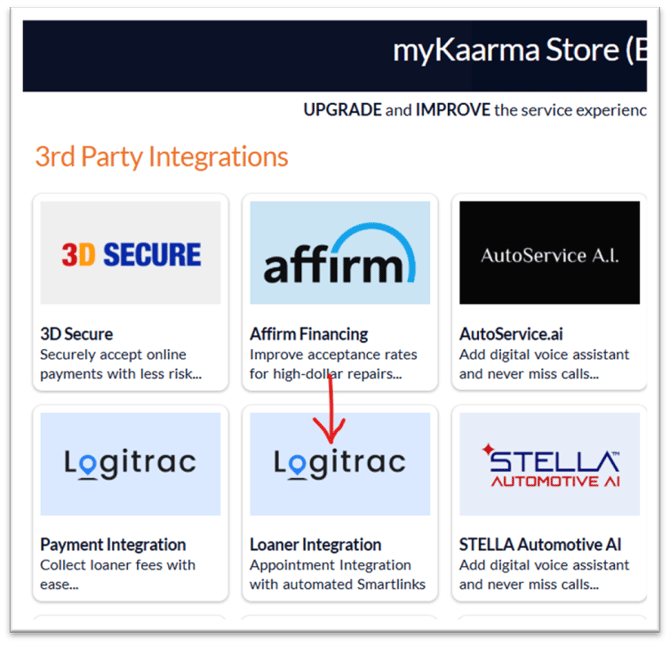
In the MK Store, scroll or use the search bar to find Logitrac Loaner Integration.
-
Click the tile to open the integration details.
4. Click “Order It Now”
-
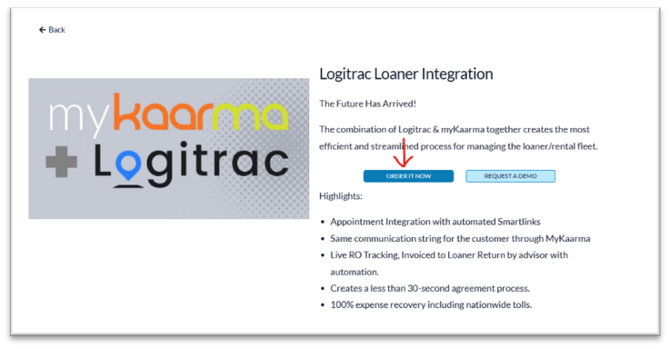
On the integration page, click Order It Now.
-
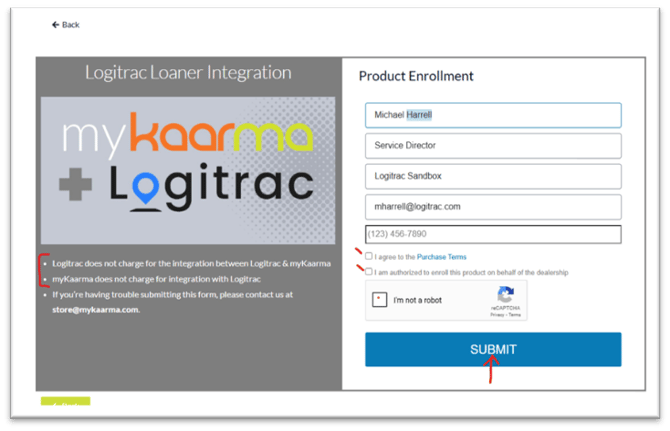
Complete the required information (such as dealership details and contact information).
-
Review your request and click Submit.
✅ You’re done! Once your request is submitted, MyKaarma will process it, and the Data Feed will be activated for your dealership. You will receive a confirmation email when the integration is live.