-
Access the Administration Section:
-
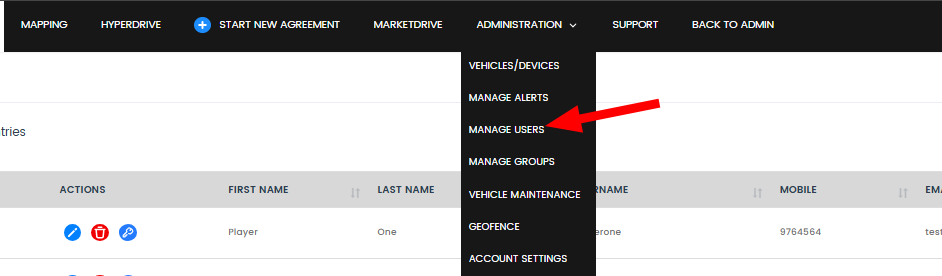
From the dashboard, locate and click on the Administration tab to enter the administrative settings.
-
-
Navigate to Manage Users:
-
In the Administration section, find and select Manage Users. This will open the user management page where you can see all current users.
-
-
Add New User:
-
Click on the Add New User button, found at the top right corner of the user management page.

-
-
Enter User Details:
-
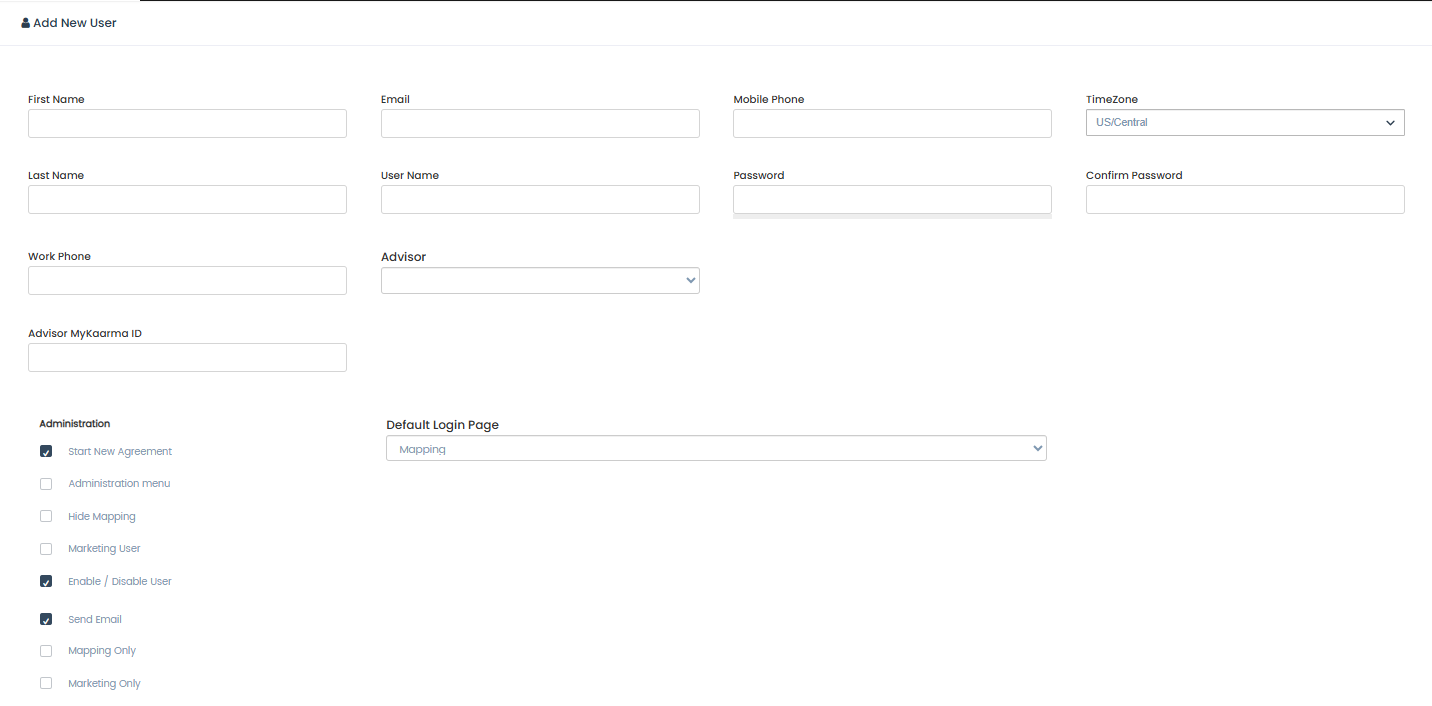
Fill in the necessary details for the new user & ensure all mandatory fields are filled out correctly.
-
-
Set User Permissions:
-
Adjust the permissions and access levels for the new user according to their role. This can include access to specific reports, editing capabilities, and viewing permissions.
-
-
Save and Notify:
-
Once all details are entered and permissions are set, click Save to create the new user.
-
The new user will receive an email notification with their login credentials and instructions for accessing the Logitrac platform.
-


