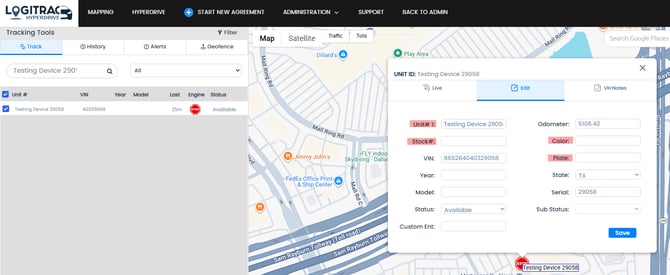
Devices will automatically pull the VIN, Make, Model, and Year into the Logitrac System. Vehicle ID, Color, License Plate, Registration, and etc. will need to be manually updated as the vehicle does not store/provide those information.
Logitrac currently utilizes a few different series of Devices, but they all operate/connect through the same instruction. Please follow these steps when installing devices:
1: Device Inspection
Before installation, inspect the Device(s) to ensure there are no bent or broken pins. Minor bent pins can be bent back into place, but severely bent or broken pins will prevent proper function with the vehicle.
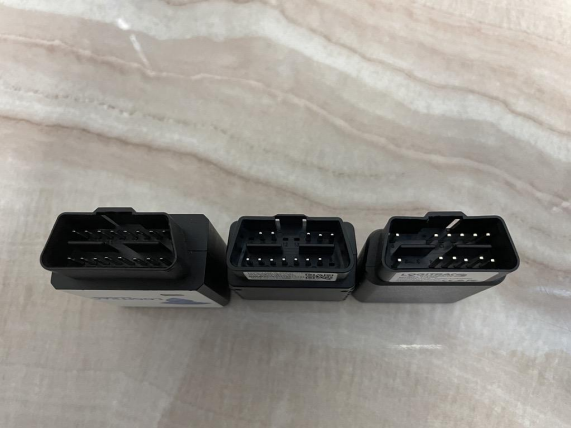
2: Device Installation
With the vehicle off, firmly install the Device into the vehicle’s OBD II port located under the dash of the vehicle ensuring that the connection is fully established, a loose connection will prevent proper function with the vehicle.
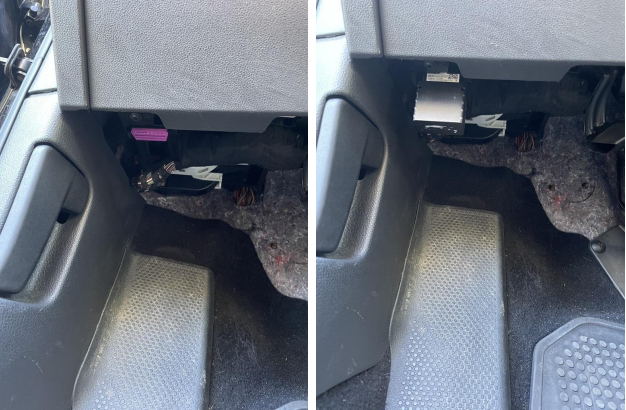
3: Device Connectivity
Once connected please verify that there are 3 lights blinking on the device. These lights indicate that the device is receiving power, operating internally, and establishing connectivity. Now don't be too concerned about the sequence of blinking lights, just that they are indeed on. Be sure the vehicle is not inside the service center or in a parking structure.
These devices connect to cellular and GPS networks, and upon initial connection it will check for software and firmware updates. All of these actions will need to take place, which can sometimes take up to 30 minutes. Successful connectivity will yield The VIN, Year, Make, and Model onto the Logitrac platform.
4: Vehicle Calibration
After successful connectivity you will see the VIN, Make, and Model show up on the mapping screen of Logitrac. To update the exact location, Miles, and Fuel level you will need to turn the ignition on and take the vehicle for a 5 minute drive.
5: Finishing up on Logitrac
The Vehicle will now show up on the mapping section as well as the Vehicles/Devices page. This is a great time to update the: Vehicle ID, Color, Plate#, Registration Information, etc. And it's good to be loaned/tracked from here!
Basic Steps for Device Installation:
1) Plug the Device into the OBDII port of the vehicle while the vehicle is off.
2) Give up to 30 minutes for the device to update the firmware. (The vehicle does not need to be running for this step)
3) If the Mileage and Fuel still have not shown on the Logitrac Platform, please turn the vehicle on for 2-3 minutes to gain engine data
4) Do NOT disconnect the device during steps 1-3 and if no engine data appears, please manually update step 3 of the agreement until engine data appears.
5) All other info such as the vehicle id, colors, toll/registration/license plate will need to be manually updated in Mapping or Vehicles/Devices Page