Step 1: Request Activation and Obtain the Embed Link
The first step is to formally request the activation of the Reservation feature and receive the necessary code snippet for your website.
-
Action: Contact the Logitrac support team.
-
Request: Ask them to enable the Vehicle Reservation feature for your account.
-
Deliverable: Request the embeddable iframe link that will be used to display the reservation module on your site.
Step 2: Prepare and Customize Your Reservation Inventory
While waiting for the Logitrac team to provide the iframe link, you can prepare your vehicle inventory to ensure the images and pricing presented to the customer are accurate and appealing.
-
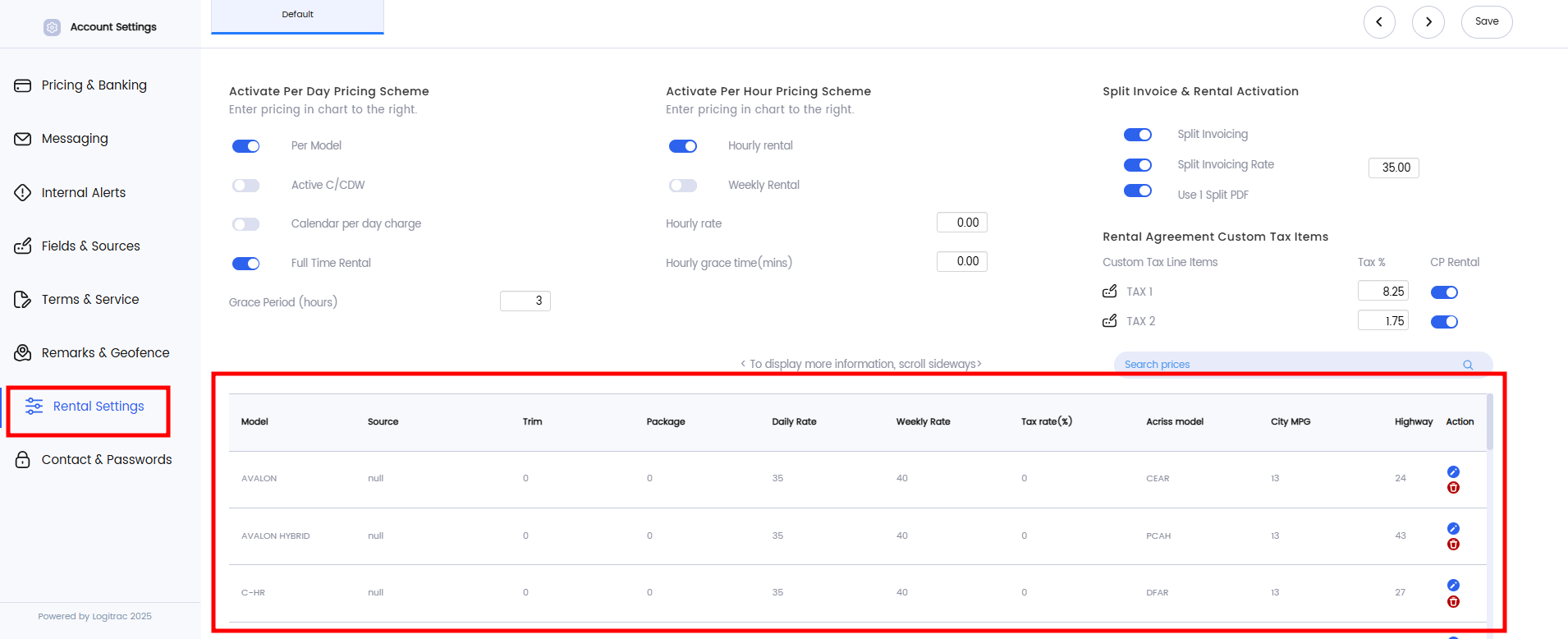
Navigate to Administration: In your Logitrac account, go to the Administration menu.
-
Access Rental Settings: Select the Rental tab.
-
Edit the Reservations Table: Locate the reservations table displaying your vehicles.
-
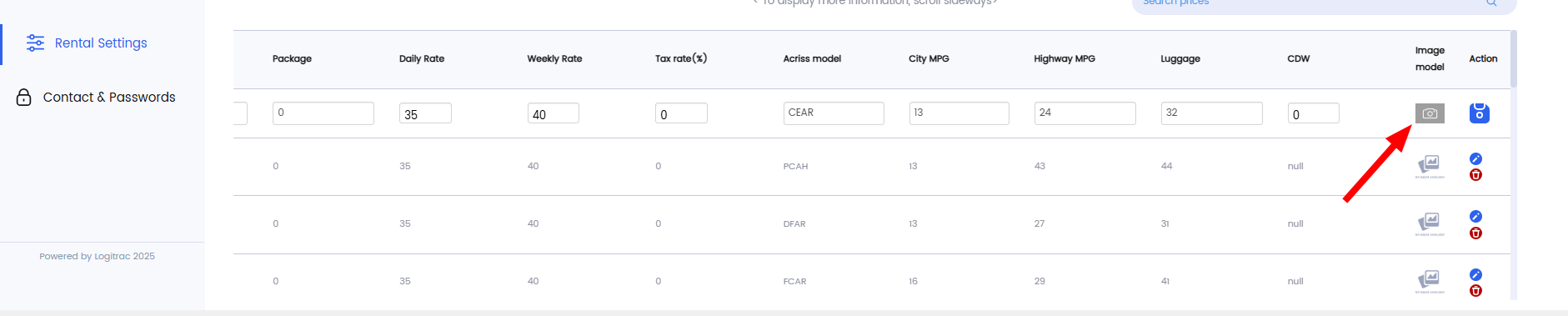
Update Vehicle Appearance and Price:
-
Price: Edit the Rental Price field to reflect the exact price you wish customers to see on the reservations page.
-
Image: Use the Image button (typically located on the far right of the table row) to upload or select a photo that accurately represents the vehicle as your dealership would like it to appear to customers.
-
Step 3: Embed the Feature onto Your Website
Once you have the embed link from Logitrac and your inventory is customized, the final step is to integrate the feature onto your live website.
-
Action: Provide the embeddable iframe link (obtained in Step 1) to your web development team or website administrator.
-
Instruction: Instruct them to embed this link into the desired location on your dealership's website (e.g., a dedicated "Reservations" page).
-
Completion: Once the link is embedded and published, the Vehicle Reservation feature will be fully operational!
Ongoing Management and Edits
You retain full control over the displayed information. You can continue to adjust vehicle photos and rental prices at any time:
-
Location: Use the rental table within your account settings (Administration to make immediate edits.