Charging a Parking Ticket to a Customer After an Agreement Has Closed
If you need to charge a parking ticket to a customer after their agreement has already been closed, follow these steps:
-
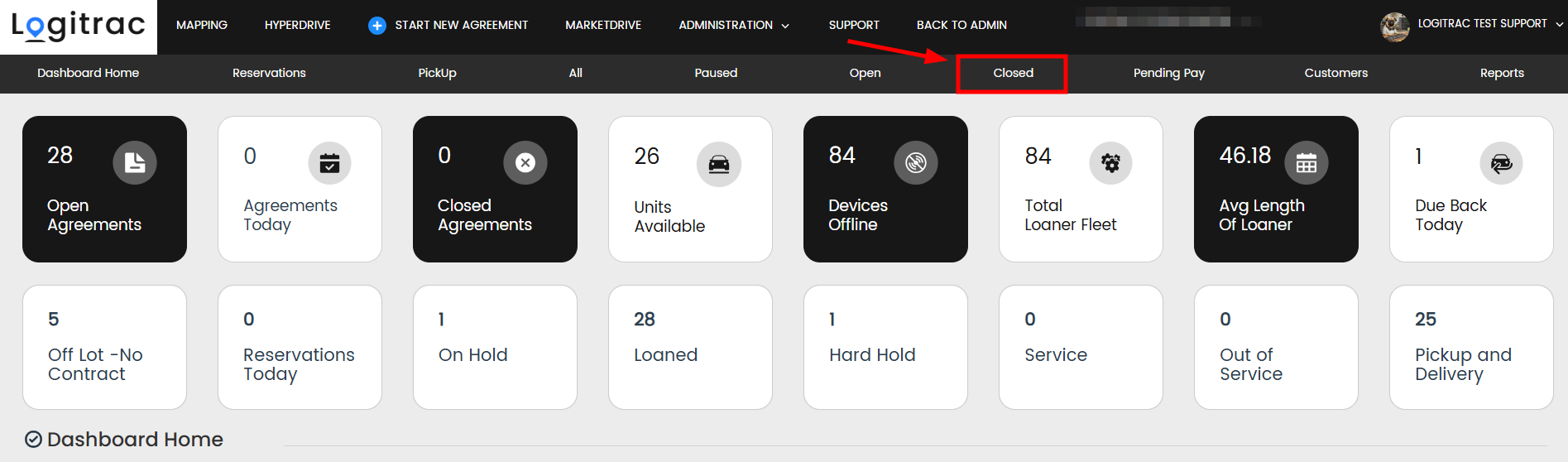
Navigate to the Close tab.
-
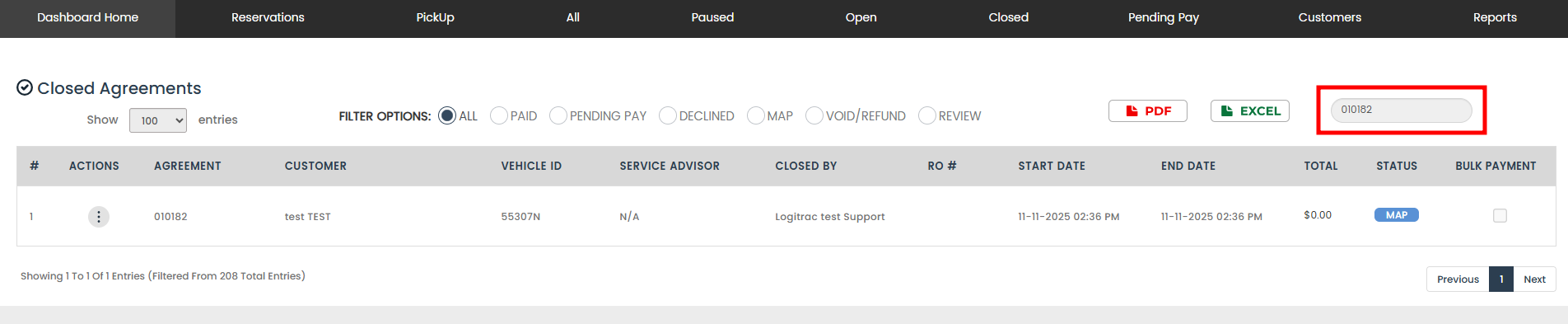
Search for the agreement number associated with the parking ticket.
-
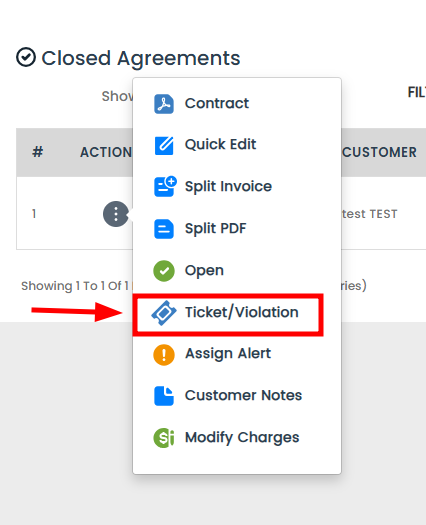
Once you locate the agreement, click the Actions button on the left-hand side and select "Ticket/Violation."
-
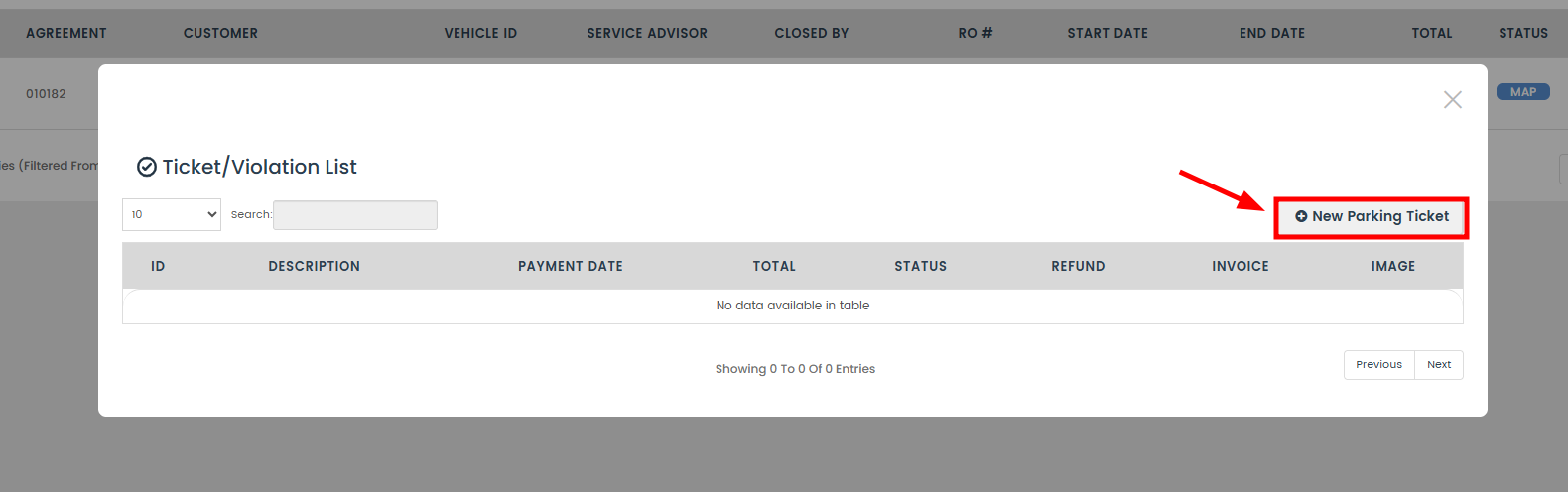
Click the "+ New Parking Ticket" button.
-
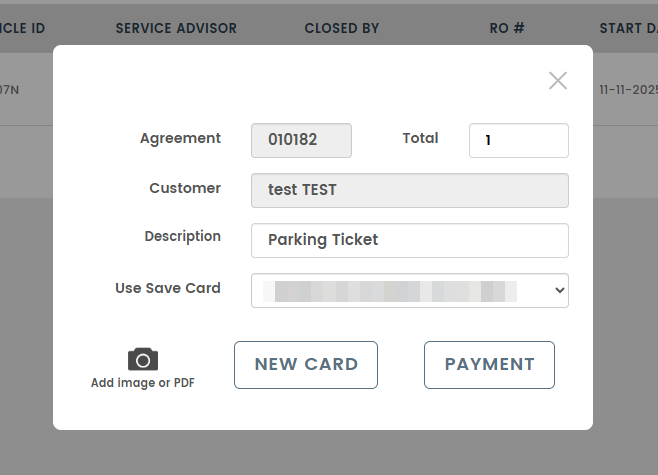
On the next screen, enter the following details:
-
Amount of the parking ticket
-
Description of the violation
-
Optionally, upload an image of the ticket for your records
-
-
Click Payment to finalize the process.


You’ve now successfully charged a parking ticket to a customer for a closed agreement!