To schedule a report to be delivered on a daily, weekly, or monthly basis, follow these steps:
-
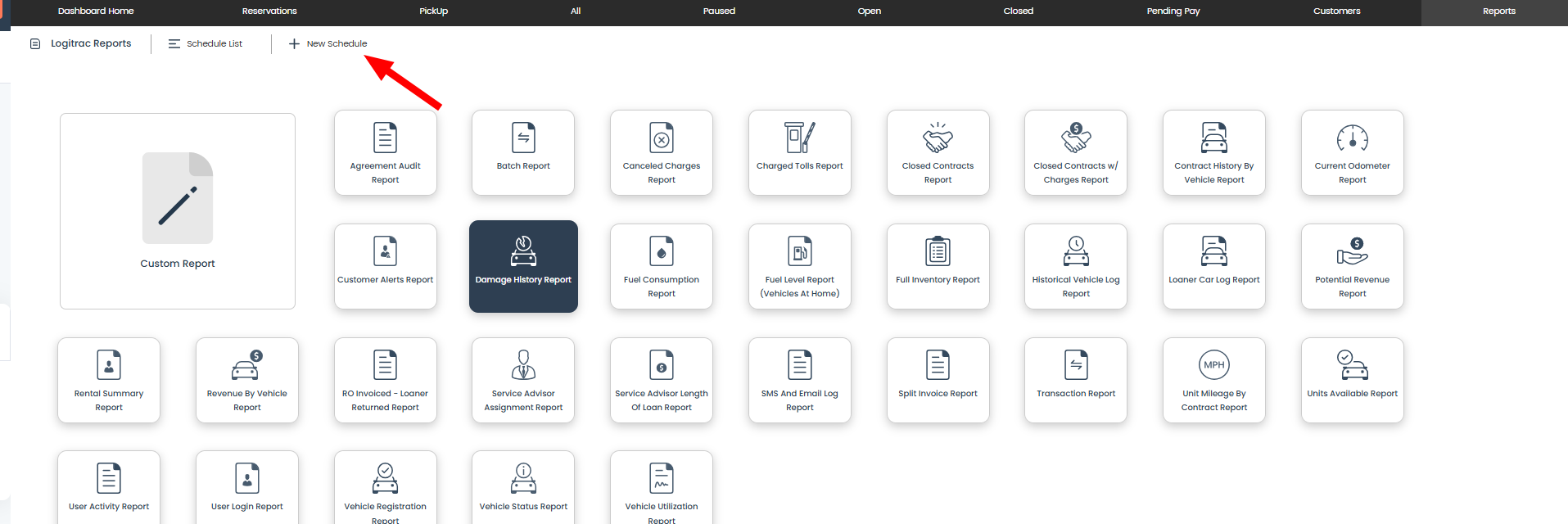
Navigate to the Reporting tab in the platform.

-
Click the "+ New Schedule" button at the top of the screen.
-
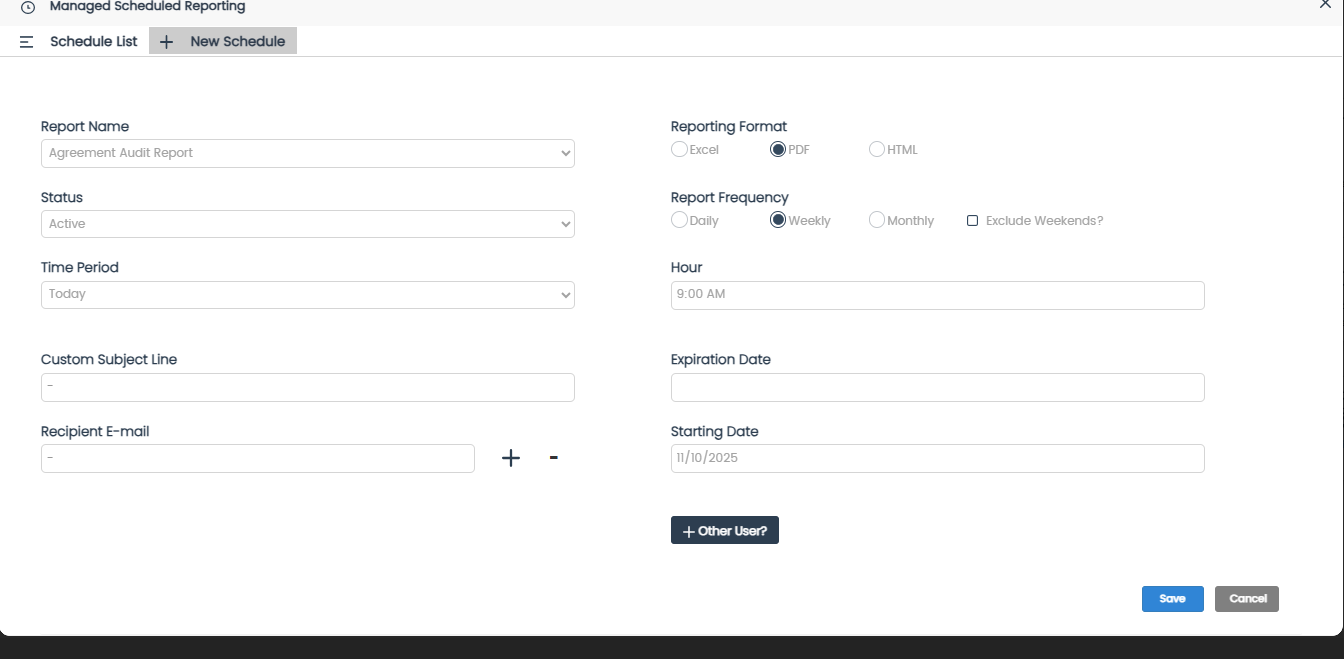
In the schedule setup screen, you'll need to fill out the following details:
-
Report Type – Select the report you wish to receive.
-
Date Range – Choose the time period the report should cover.
-
Format – Select whether you'd like the report in Excel or PDF format.
-
Delivery Time – Choose the time of day you want the report to be sent.
-
Frequency – Set how often you'd like to receive the report (daily, weekly, monthly).
-
Start Date – Choose when you'd like the scheduled report to begin.
-
-
Add the email addresses of any recipients who should receive the report.
-
Click Save to finalize your schedule.


Your report is now scheduled and will be delivered according to your specified settings!
Need help?
If you have any questions about reports, please reach out via the Support tab or call us at 888-598-0887.